Computer-aided dispatch · fire · EMS · air medical
From the call to the cab in one page.
Overwatch is a dispatch console for the people who take the call, and an iPad terminal mounted in every engine, ambulance and aircraft. Dispatch sends a unit; its iPad pages the crew, shows them where they are going, and sends their times back as they work.
Eight codes, one colour each
Every unit's status reads the same on the console, the board, the map and the iPad. The crew moves its own unit with one tap, and the rules hold on both sides.
The real thing
See the screens
The dispatch console runs in a browser at your center. The iPad app runs in every unit. Both are shown here working one call: a residential structure fire with Medic Engine 21 and Battalion Chief 2.
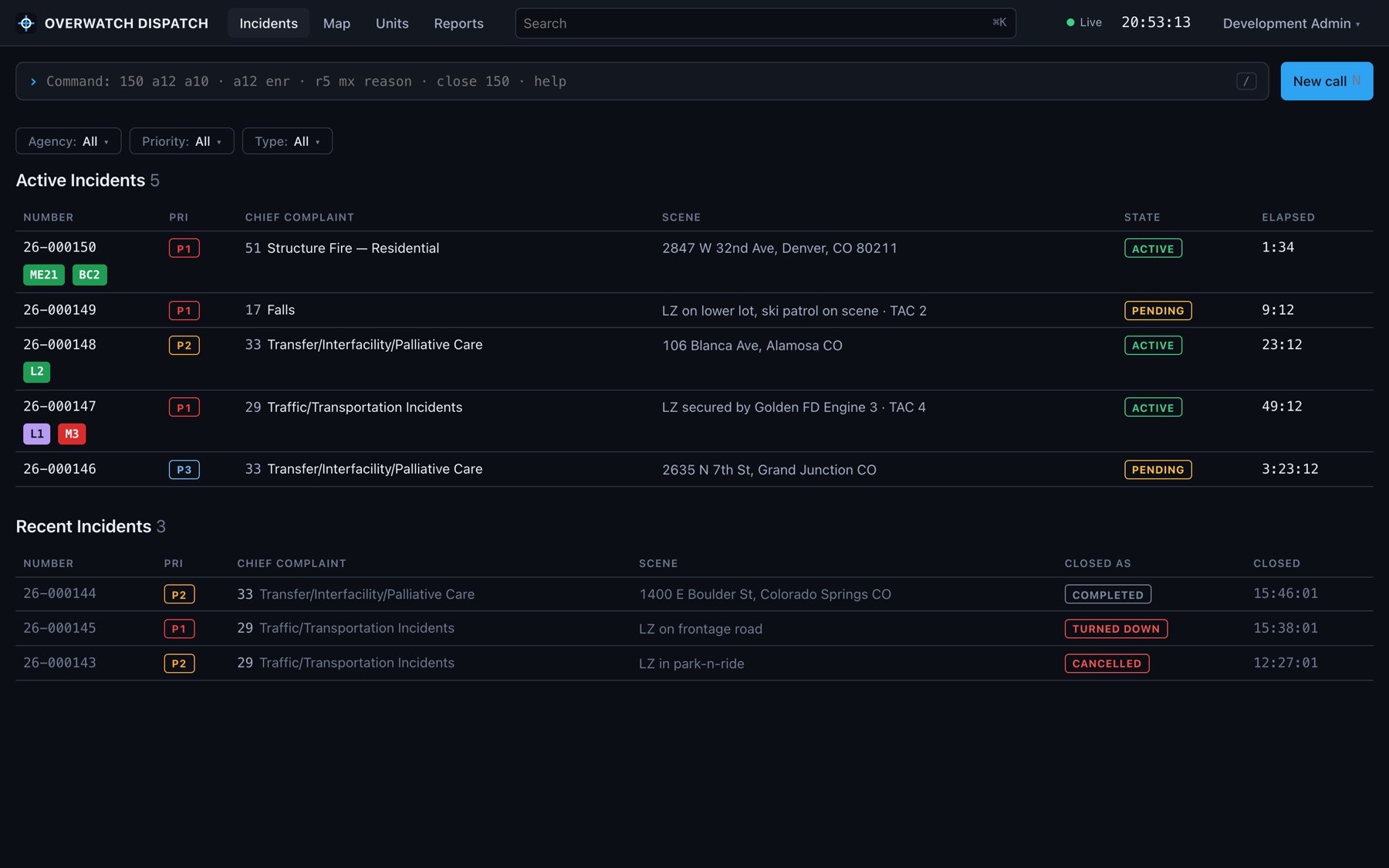
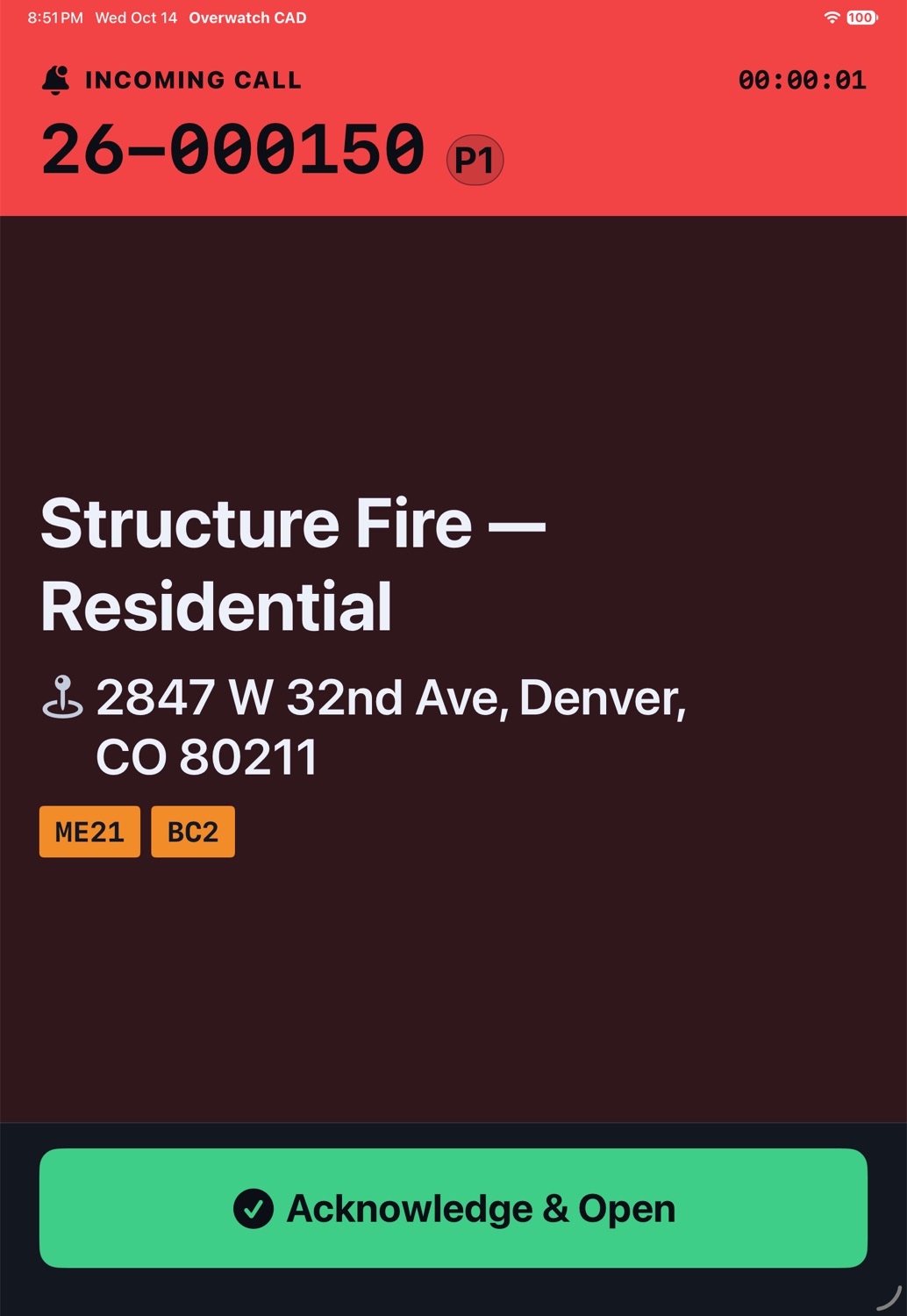
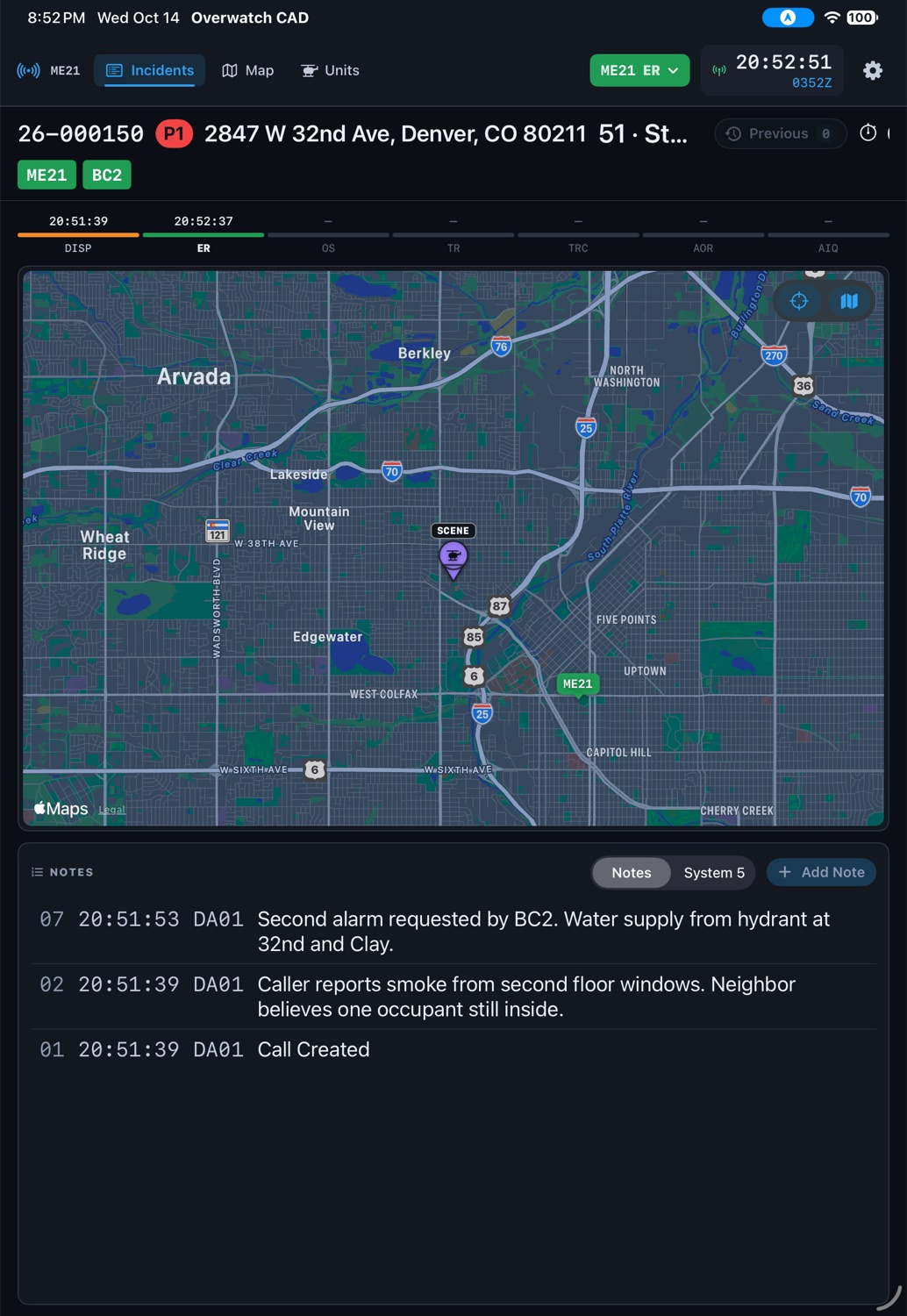
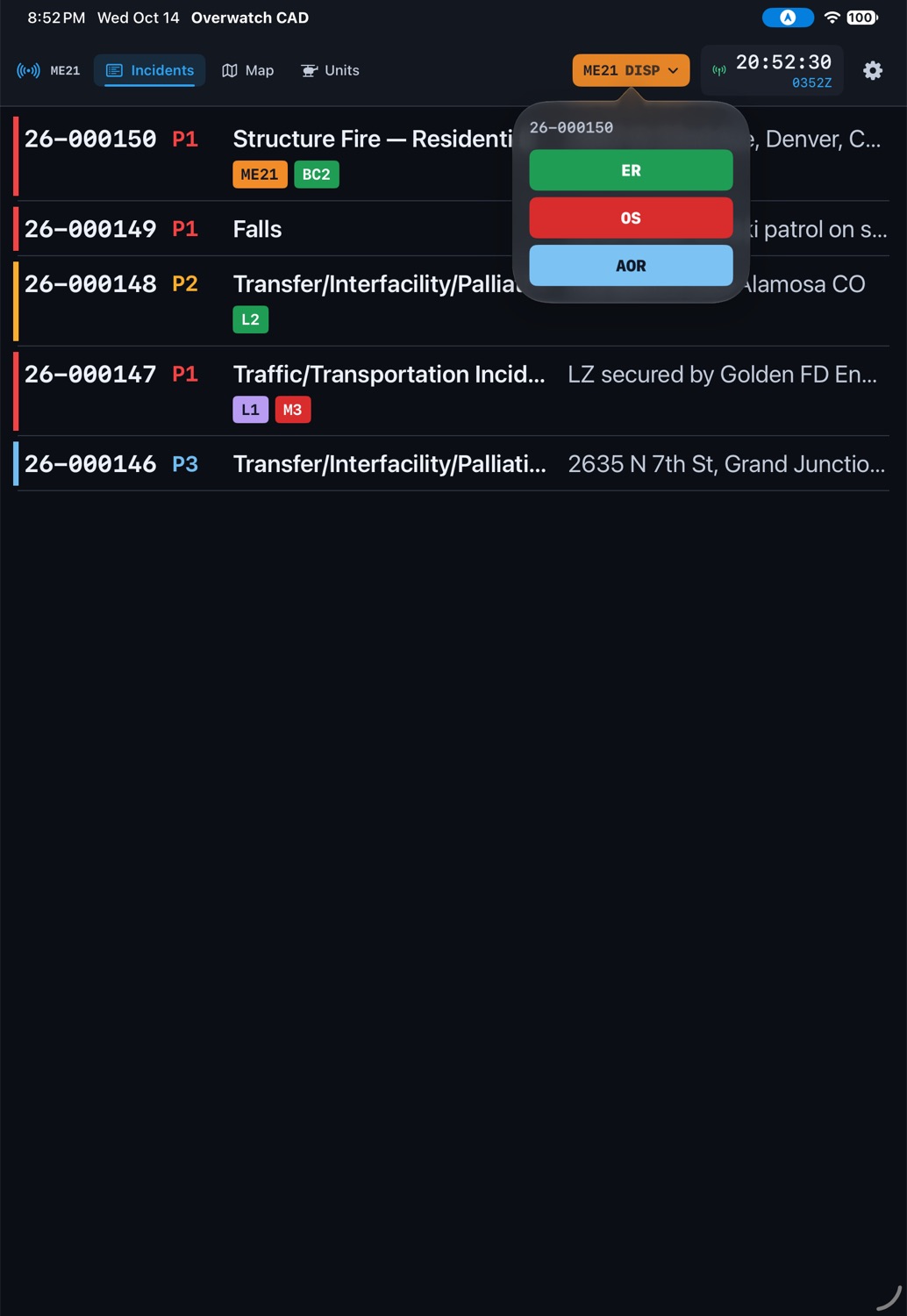
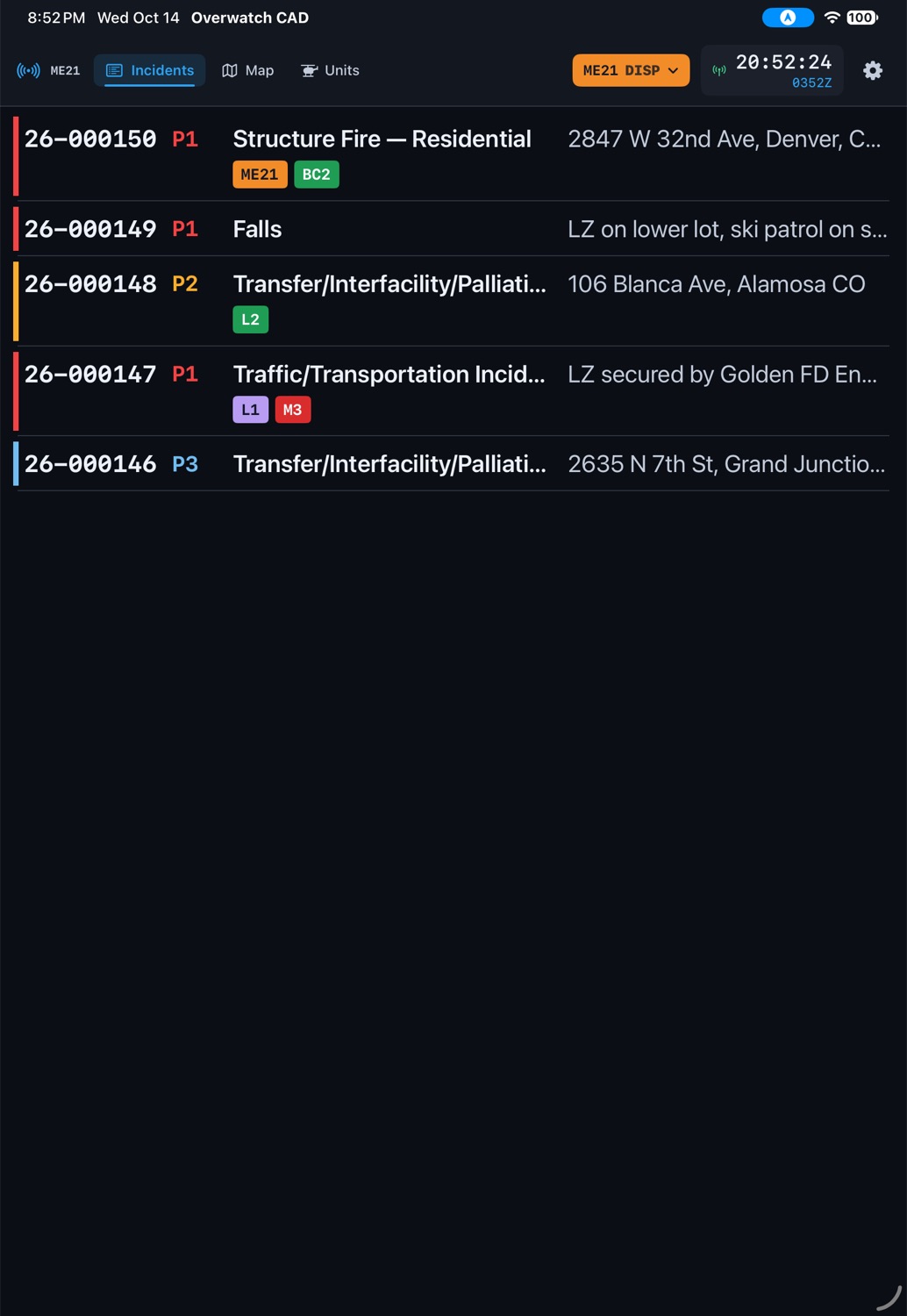
Screens from a demonstration center with sample calls.
For the dispatch center
The console
A web console for call-takers and dispatchers, built to be worked from the keyboard.
- New call
One step at a time, no mouse
EMS or fire, the address, the complaint, the priority, the units. Arrows and Enter all the way through.
- EMD
Guided questions, a determinant at the end
The protocol's questions in order, 1 to 9 to answer, and the recommended code picked for you.
- Map
Every unit an iPad is placing
Live positions on Apple Maps beside each call, the scene and destination pinned.
- Command
A command line for fast hands
"150 me21" assigns and pages. "me21 os" moves a unit. N, I, M and U jump between pages.
For the crew
The iPad
Mounted in the cab, read from the seats, signed in to its unit for the shift.
- Page
Pages through a locked screen
The crew's chosen tone until someone acknowledges, and again each minute an engine sits at DISP.
- Status
Times in one tap
Only the steps that make sense next. Reported with the link down, sent when it returns.
- TR
Transporting, and changing course
Pick the facility at TR, change it en route, and the call's destination follows everywhere.
- Cab
Built for the cab
Large type for three feet away, a day and a night look, and the unit changed without signing out.
One call, start to finish
How it works
A residential structure fire, as dispatch and the crew of Medic Engine 21 each see it.
-
17:15:02
CALL
Dispatch
The call is taken
New call: Fire, the address found on the map, protocol 51 Structure Fire, priority 1. A turndown nearby in the last three hours shows up as a red warning.
Crew
Nothing yet
The iPad shows the Incidents board; the new call appears on it the moment it is created.
-
17:15:40
DISP
Dispatch
Guided EMD, then units paged
The call-taker answers the fire protocol's questions; the determinant goes on the call. ME21 and BC2 are assigned and paged in one line.
Crew
The page
The iPad takes the whole screen with the call's number, complaint, address and units, and sounds until someone taps Acknowledge & Open.
-
17:16:31
ER
Dispatch
The unit moves on its own
ME21 turns green on the board. Until it went ER, it was re-paged every minute.
Crew
One tap
The officer taps ER on the status button. The map shows the scene; a tap on the address opens directions in Apple Maps.
-
17:21:05
OS
Dispatch
Notes, both ways
"Second alarm requested by BC2." A note that starts with !! reads red and sounds an alarm in every cab on the call.
Crew
On scene
OS with one tap, and notes added from the iPad: "Second floor, smoke showing from the eaves."
-
17:58:12
AOR
Dispatch
The call closes itself
When the last unit clears, the call closes. Every time is on its printable record and in the NEMSIS feed.
Crew
Available, then home
AOR on the radio, AIQ back at Station 21. The iPad is ready for the next page.
One record
The same notes, line for line, everywhere
Every call keeps one numbered log. Line 12 is line 12 on the console and on every iPad. Status times sit on their own tab, so the notes stay readable.
A turndown is shared with everyone near it: the next call taken close by carries the warning in its notes.
- 0917:21:44SYSTURNED DOWN: MERCY10 WEATHER BELOW MINIMUMS
- 0817:20:12CREWME21Second floor, smoke showing from the eaves
- 0517:16:40DA01EMD 51-E-1 (Echo) People reported trapped · Flags: RESCUE
- 0317:15:02DA01Frequency: TAC 4
- 0217:15:02DA01Caller reports smoke from second floor windows
- 0117:15:02DA01Call Created
Connects to
Apple Maps
Address search when the call is taken, live unit positions, directions from the cab.
Built inNEMSIS v3.4 CAD feed
Each unit's response as a CAD record for your ePCR, ImageTrend among them.
Built inActive911
Dispatches and urgent notes paged to a station by Cadpage email.
Built inRapidSOS
A 911 caller's device location and additional data, into the call.
PlannedMonthly, no long contract
Pricing
Pay for the dispatch center and for each iPad in a unit. Everything is included: the console, the app, maps, guided EMD, reports and the integrations above.
- The dispatch console for every dispatcher
- Your roster of units, stations and hospitals
- Reports, printable call records, NEMSIS feed
- One iPad, signed in to one unit at a time
- Paging through a locked screen
- Status times, notes, the map and directions
Fire departments
Engines, trucks, squads and chiefs, with fire protocols and stations as you name them.
EMS agencies
ALS and BLS ambulances, interfacility transfers, medical EMD and destinations.
Air medical programs
Helicopters and fixed wing with flight acceptance, turndowns shared by distance, and transports.
See it with your units
Request a demo
Tell us about your center and we will set up a demonstration with your own stations and units, and an iPad to try in a cab.
We answer within one business day.